

- Overview: the balance, the usage of the period with a forecast of when the credit runs out, budgets and limits, and alerts when the balance is at zero or an automatic top-up has stopped.
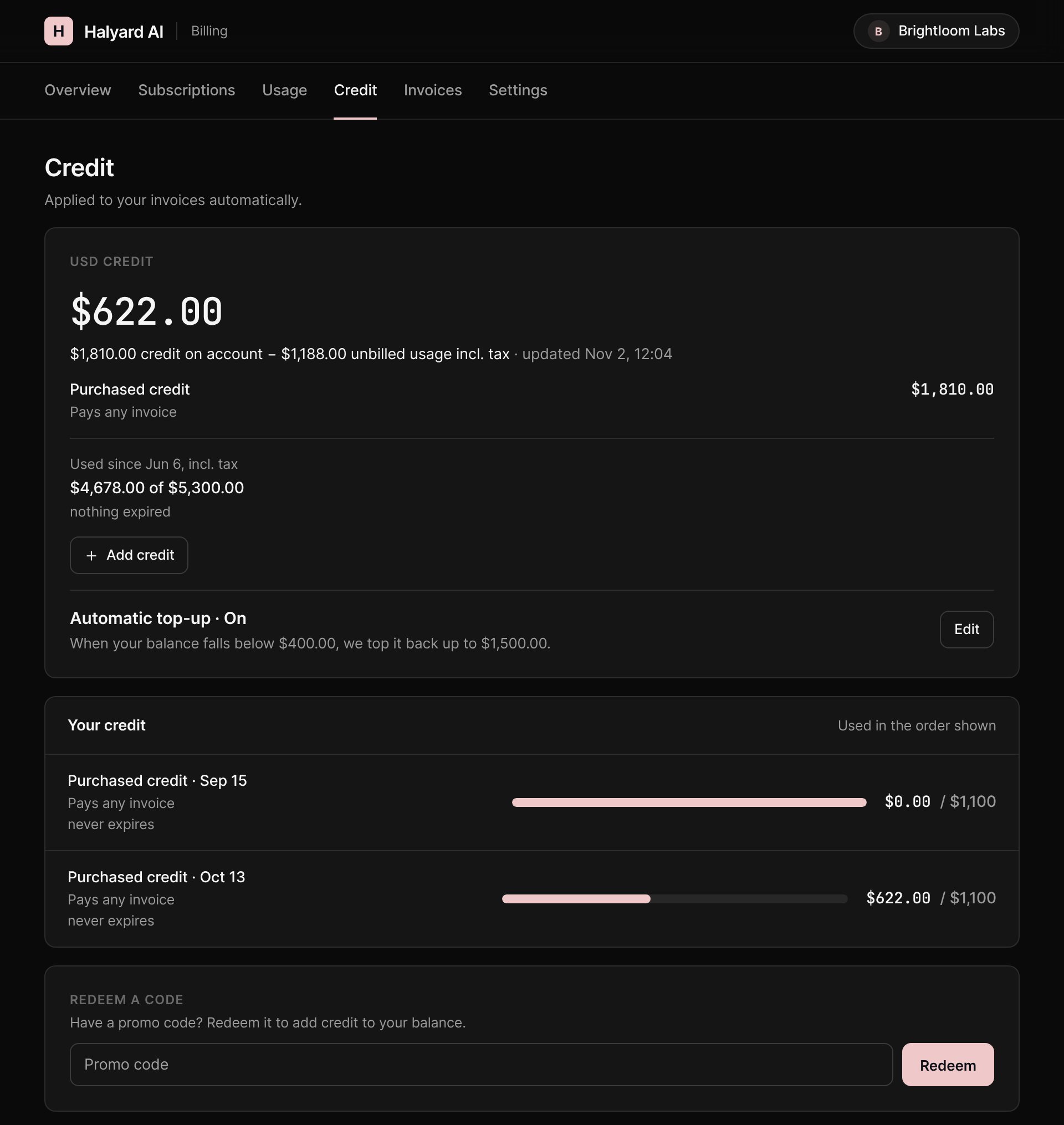
- Credit tab: the balance of each wallet, the next credit and next expiry, the automatic top-up, every grant in the order it is used, and a statement of all movements.
Self-service actions
Go to Settings > Credit, section Customer portal, pick an invoicing entity and enable:
All three are off by default. Top-ups also need a way to pay: an active card provider on the invoicing entity, or a saved card. Automatic top-up needs a saved card. When customers can’t buy credit, the portal asks them to contact you instead.
Whatever the settings, customers can always see their balance and usage, see the budgets you set for them, redeem promotion codes, and turn automatic top-up off.