Promotional credit is credit you give rather than sell. It costs the customer nothing and works like a discount: it comes off after coupons and before tax, and is used before any paid credit in a money wallet. It comes from included credit packs, bonus credit, free credit you add by hand and promotion codes. See Where credit comes from. Example. A $100 fee, a 10% coupon and $20 of goodwill credit, with 8% tax: $100 − $10 − $20 = $70 taxable, $5.60 of tax, $75.60 in total.
To compensate an outage without discounting the subscription fee, add Free credit with Pays set to Usage only.

Promotion codes

Creating a credit coupon

Go to Product Catalog > Coupons, click New coupon, and choose the type Promotional credit.
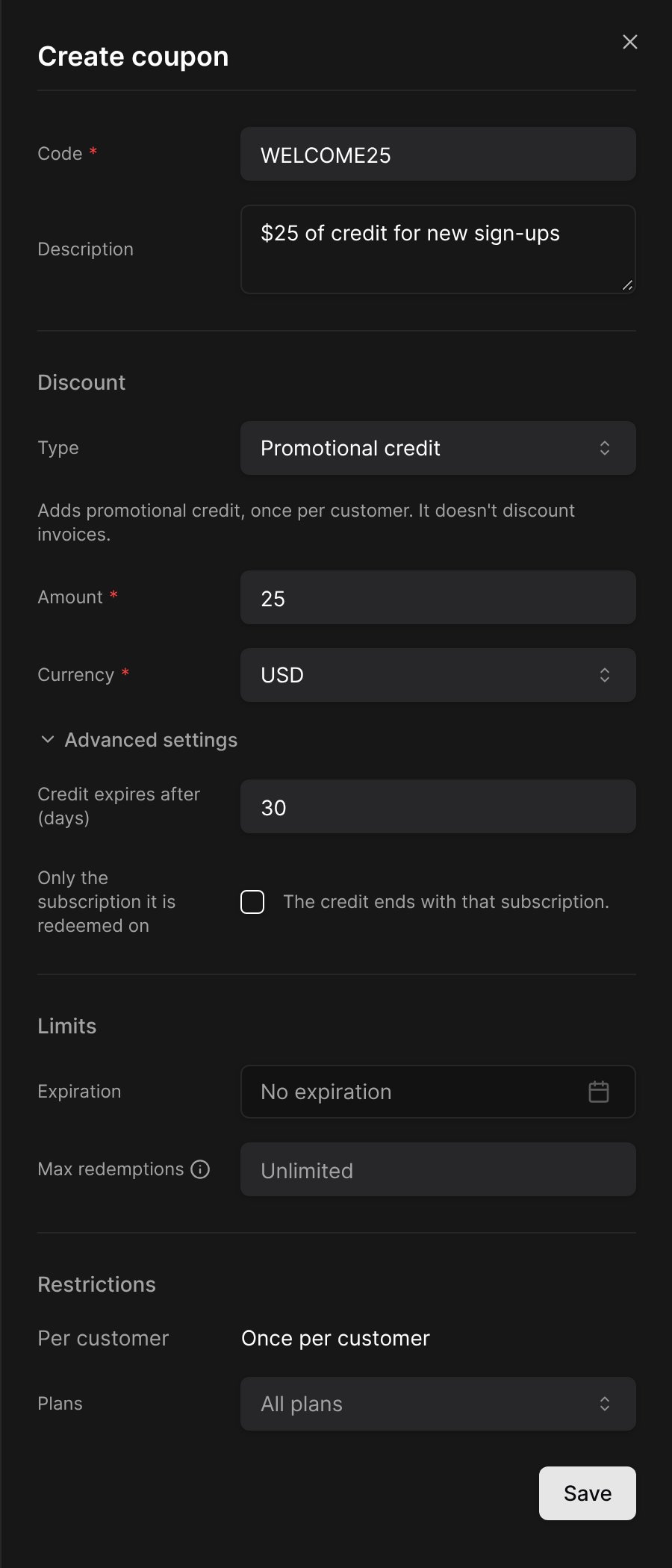
Creating a promotional credit coupon
A credit coupon can be redeemed once per customer. Codes are not case-sensitive: launch100 redeems LAUNCH100.

Redeeming a code

The credit is added when the subscription starts: right away for an active or trialing subscription, on activation after checkout, or on the start date. A checkout that is abandoned never grants it. In the portal, the code is redeemed on an active subscription in the coupon’s currency, on a plan the coupon allows.